GTA 5 goodbye AI video: your farewell on the pier
GTA 6 AI Video (gta6aivideo.net) turns one photo of you into the 15-second GTA 5 goodbye AI video with sound: Michael, Franklin and Trevor see you off on the sunset pier, a hand on your shoulder and tears in your eyes, then you drive away from Los Santos. $8.90, no watermark, ready in several minutes.
Scene preview
The scene preview appears here.
1 photo in
Your photo goes here
Your scene out
The GTA 5 goodbye AI video is a short, cinematic farewell to Grand Theft Auto V. On a pier at sunset, look-alikes of Michael, Franklin and Trevor send off one departing player: they hand over the new game and the car keys, hold back tears, and watch the car drive away toward GTA 6. The departing player is whoever is in the photo, so the face in the tearful close-up is yours. You can make one with the generator above: the goodbye scene is already selected, you upload one photo, and you download 15 seconds with the soundtrack.
- Scene: a sunset pier, three legends, one goodbye
- You upload: one photo of you
- You get: 15 seconds, 4:3, with sound
- Price: from $8.90, no subscription
What the farewell shows
GTA V came out in 2013. GTA 6 arrived on November 19, 2026. For a lot of players that's thirteen years with the same three characters, and the goodbye turns those years into one scene: the old crew seeing you off to the new game.
Every version hits the same beats:
- The pier at sunset. Weathered boards, a Ferris wheel, the sun low over the ocean. A Los Santos postcard.
- The three legends. A Michael look-alike in a gray suit, a Franklin look-alike in a dark green work shirt over a white long-sleeve, and a Trevor look-alike in a stained white V-neck.
- The handoff. Michael passes you the new game. Franklin hands over the keys to a pink-and-blue sports car.
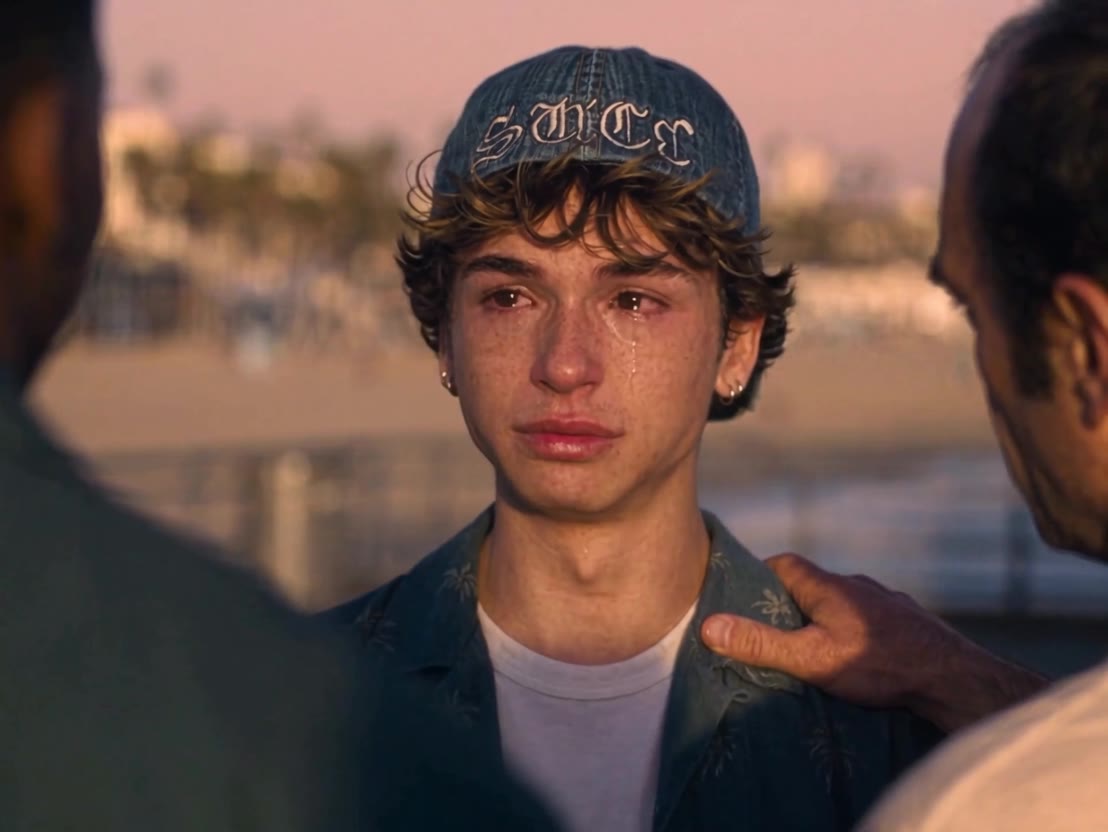
- The tearful close-up. Trevor grabs your shoulder and the camera holds on your face, eyes wet. This is the shot people screenshot.
- The drive away. You set the game on the passenger seat and pull out, and the three watch from the boardwalk as the car heads down a palm-lined coast road.
The goodbye, shot by shot
The full GTA 5 goodbye AI video runs about 30 seconds. Here is what's on screen in the clip above, beat by beat:
| Time | Shot | What you see |
|---|---|---|
| 0:00-0:04 | 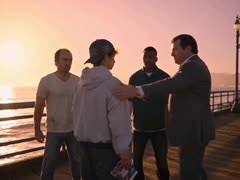 The handoff | Four people at the railing with the sun on the water. The Michael look-alike hands the departing player a game case and pats his shoulder. |
| 0:04-0:06 | The case | Close-up of the new game case in the player's hand. |
| 0:06-0:09 | 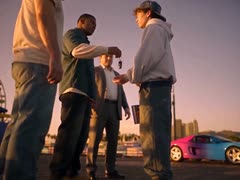 The keys | The Franklin look-alike dangles a car key and hands it over. A pink-and-blue sports car waits behind them. |
| 0:09-0:13 | 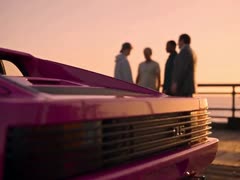 The car | The pink car fills the foreground while the four stand talking at the railing, out of focus. |
| 0:13-0:16 | 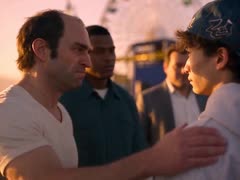 Trevor's grip | The Trevor look-alike grabs the player's shoulder, the Ferris wheel behind them. |
| 0:16-0:20 | 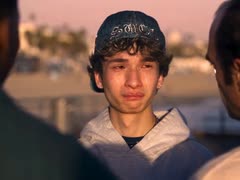 The close-up | Tight on the player's face: tears, a hand on his shoulder, the beach blurred behind. |
| 0:20-0:24 | 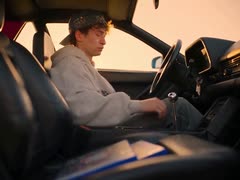 Behind the wheel | In the driver's seat, he sets the case on the passenger seat and shifts into gear. |
| 0:24-0:26 | Old and new | The old game and the new one side by side on the seat. |
| 0:26-0:28 | 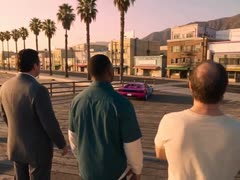 The send-off | From behind, the three watch the car pull away along the boardwalk. |
| 0:28-0:30 | 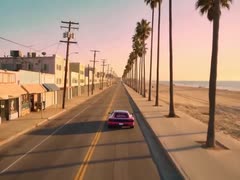 The road | Aerial shot: the pink car heads down a palm-lined coast road. |
The cut you make here is the emotional half of the scene. You don't have to act anything out: the timing, the camera moves and the soundtrack are already in place, and only the departing player changes.
The 2013 vs 2026 split screen
The other big format is a vertical split screen. The top half is labeled 2026: you, grown up, in golden evening light. The bottom half is labeled 2013: a kid version of you on the same pier in daylight, holding a GTA V case. Both walk up to the three legends at the same moment, fist-bump Franklin, catch Trevor welling up, and get a hand on the shoulder (or on the head) from Michael. The joke is the math. GTA V launched when you were a kid, and GTA 6 launched when you were an adult.
Launch week produced plenty of other versions, from a daytime hug on the pier to "one last ride" farewells on an open road. One restages the roadside ending of Furious 7 and closes on a road sign pointing to Vice City.
Why it trended right before GTA 6
GTA 6 launched on November 19, 2026, on PS5 and Xbox Series X|S. The goodbye was the mood of the week before: one last look at Los Santos before everyone moved to Leonida.
- November 11-14, 2026. The first farewell clips spread on Instagram and TikTok, together with CapCut templates for a "GTA 5 to GTA 6" transition.
- November 16. Coverage described the trend as GTA 5 passing the torch to GTA 6. Creators were cutting it from Rockstar Editor footage, CapCut templates and AI video tools such as Kling, Runway, Hailuo and Luma.
- November 18. Worldwide Google searches for "gta 5 goodbye" peaked on the day reviews went live, then dropped fast once people were playing GTA 6.
It works for the same reason a series finale works. The three have been the faces of the game for thirteen years, the send-off borrows the language of a movie farewell, and the person leaving is you. As a post, it reads best as your own sign-off: the clip that says you've moved on to Vice City.
Make yours from one photo
To make your GTA 5 goodbye AI video, use the generator at the top of this page. The goodbye scene is already selected.
- Upload one photo of yourself. You become the departing player. The three legends, the pier, the car and the timing stay as they are. This scene has one seat, so it's you only.
- Tick the consent box. It confirms the video is a parody and that you have permission to use the photo.
- Make it. Each video uses 10 credits. If you have none, you can buy a single video for $8.90 right there, or a pack of 3 for $19.90 or 5 for $29.90. It's a one-time payment, credits never expire, and there's no free trial.
- Download the MP4. It usually takes several minutes, and you can leave the page while it renders. You get 15 seconds in 4:3 with the scene's soundtrack, and the video also waits for you in My videos.
Make your GTA 5 goodbye now, or see how the other GTA 6 scenes work.
Which photo works best
The close-up is the whole point of a GTA 5 goodbye AI video, so the photo matters more than anything else you do.
- One face, looking at the camera or close to it.
- Sharp and evenly lit, with nothing over the eyes. Sunglasses and low caps make the face harder to match.
- Shoulders up or waist up, so your face is big in the frame.
- A real photo: no heavy filters, cartoons or screenshots. JPG, PNG or WebP, at least 320 pixels on the shortest side.
- You, or an adult who agreed. No kids and no celebrities.
Photos are used only to make your video, and the AI video platform deletes them within 24 hours.
Posting it on TikTok and Reels
- Turn on the AI label. TikTok has an AI-generated content setting when you post, and Instagram has its own AI label. Use them.
- Expect bars. The goodbye keeps its original 4:3 frame, so phone apps show it with bands above and below. That's how the format looks everywhere.
- Write a caption that says what it is: your GTA 5 goodbye AI video, made as a parody. Add the trend's GTA 5 goodbye tags so people searching for it find yours.
- Don't call it real. Don't present it as game footage or as official, and don't use faces of people who didn't say yes.
GTA 5 goodbye questions
How do I make the GTA 5 goodbye AI video?
Is the GTA 5 goodbye AI video free?
Who are the three characters in the GTA 5 goodbye?
What does 2013 vs 2026 mean in the GTA 5 goodbye trend?
What song is used in the GTA 5 goodbye videos?
Is the GTA 5 goodbye video real?
Can I post my GTA 5 goodbye video on TikTok?
Michael, Franklin and Trevor in these videos are AI look-alikes in a fan parody. This site is an independent fan tool, not affiliated with, endorsed by or connected to Rockstar Games, Take-Two Interactive or the Grand Theft Auto series. Dates and search trends as of November 20, 2026.